01 · browser
Chrome Extension
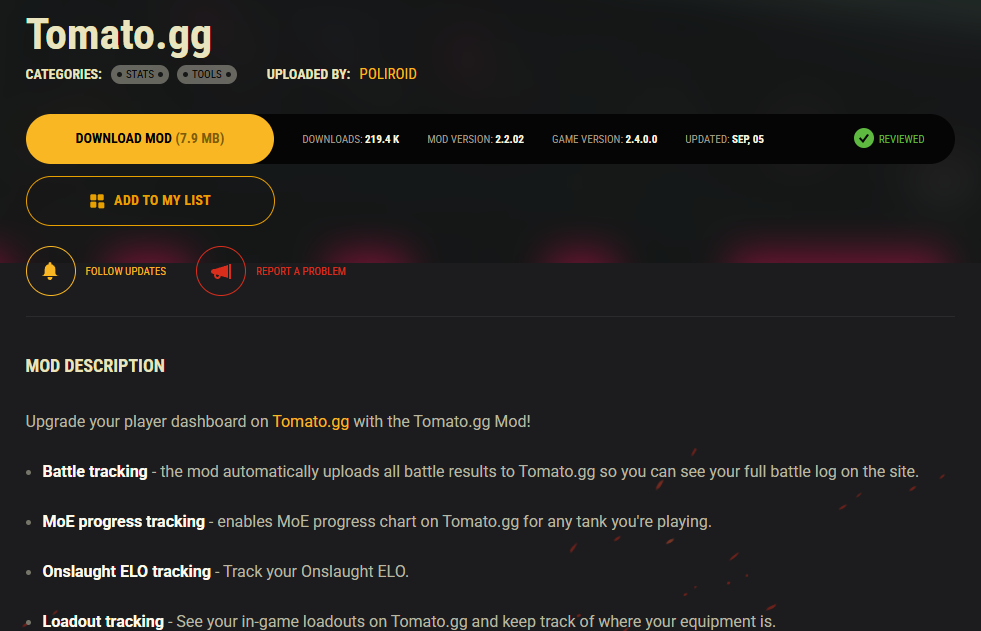
Browse wgmods.net as usual. On any mod page click Add to my list. The extension saves it to your personal list on the server.
Add mods while browsing wgmods.net. The desktop app installs them into the right folder, checks your game version and uninstalls without leftovers.
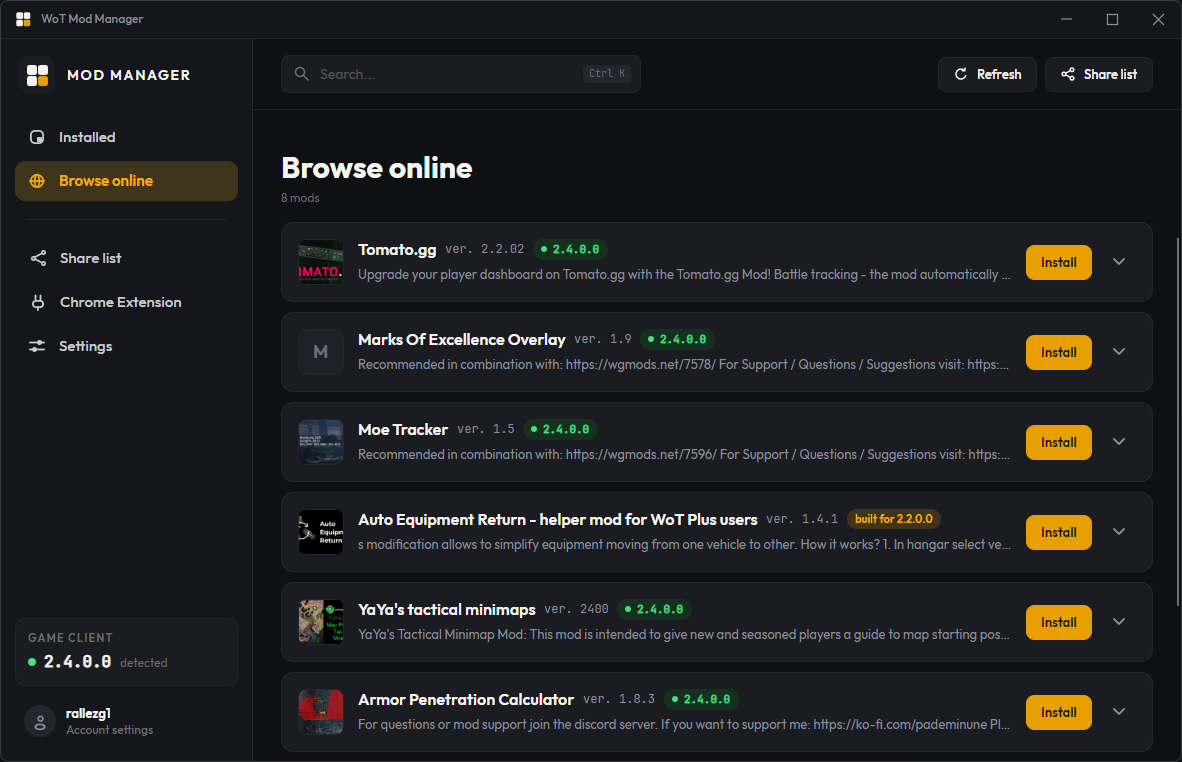
Pick mods where they live. Install them where they belong. Your list stays in sync between the two.
Browse wgmods.net as usual. On any mod page click Add to my list. The extension saves it to your personal list on the server.
Reads your list, checks each mod against your installed game version, installs everything into the right folder — and uninstalls with all dependencies when you're done.
Each mod is checked against your installed World of Tanks version. Mismatches are flagged before anything touches your game folder.
Add from the browser, install from the desktop. Files land directly in the right res_mods and mods directories.
Stored in the cloud, synced between the extension and the app. Reinstall Windows, keep your setup.
Every file a mod brings in is tracked. Remove it and its unused dependencies go too — no orphaned configs, no stale scripts.
Username and password, nothing more. No analytics, no tracking, no third parties. Delete your account any time.
Works directly on the official Wargaming mod portal. Every mod you install is downloaded from there — never from us.
Installs mods, checks version compatibility and handles dependency-aware uninstallation. Your purchase also unlocks the account for the extension.
Adds an “Add to my list” button to every mod page on wgmods.net. Sign in with the account created in the desktop app.
Your invite code arrives automatically after purchase — no waiting list, no email needed.
Get Wot Mod Manager on the Microsoft Store. Your invite code is issued right after purchase.
Open the Register tab in the app, enter your invite code, pick a username and password.
Add it from the Chrome Web Store and log in with the same account.
Browse wgmods.net, add mods, and let the desktop app handle the rest.
Wot Mod Manager is a mod manager for World of Tanks. It combines a Chrome extension that works on wgmods.net with a Windows desktop app that automatically installs, updates and uninstalls mods in your game directory.
Yes. All mods are downloaded directly from wgmods.net, the official Wargaming mod portal. The desktop app is distributed through the Microsoft Store, which verifies every build. Accounts are protected with a personal username and password, and your data is never shared.
Wot Mod Manager supports the current retail version of World of Tanks on PC. The desktop app automatically checks whether each mod on your list is compatible with your installed game version and warns you about mismatches before installing.
Install the Chrome extension, browse wgmods.net and click Add to list on any mod you like. Open the desktop app, log in, and install your whole list with one click. The app copies the right files into your World of Tanks folder.
Yes. The desktop app tracks every file each mod installs and resolves dependencies between mods. When you remove a mod it deletes every file that mod brought in — no orphaned configs, no stale scripts.
wgmods.net is the official World of Tanks mod portal run by Wargaming. It hosts the largest catalogue of approved WoT mods. Wot Mod Manager integrates directly with wgmods.net so you can manage your mod list straight from the page.
The desktop app runs on Windows 10 and Windows 11 and is distributed via the Microsoft Store. The browser extension works on any Chromium-based browser (Google Chrome, Microsoft Edge, Brave, Opera, Vivaldi) through the Chrome Web Store.
An invite code is issued automatically after you purchase the desktop app on the Microsoft Store. Use it once during registration to create your account, then log in on both the desktop app and the Chrome extension.
One list, always compatible, always clean. Available now on the Microsoft Store.
Get on Microsoft Store